Interactive service contract tool
A mini-service for freelancers and small studios: the contractor fills in project data, the client signs the contract directly in the browser and downloads a PDF.
Problem
In most freelance projects contracts are signed manually: editing Word files, sending them by email, waiting for scans or photos. It is slow, inconvenient and often postponed, even though a contract is required before starting any work.
Solution
How it works for the contractor
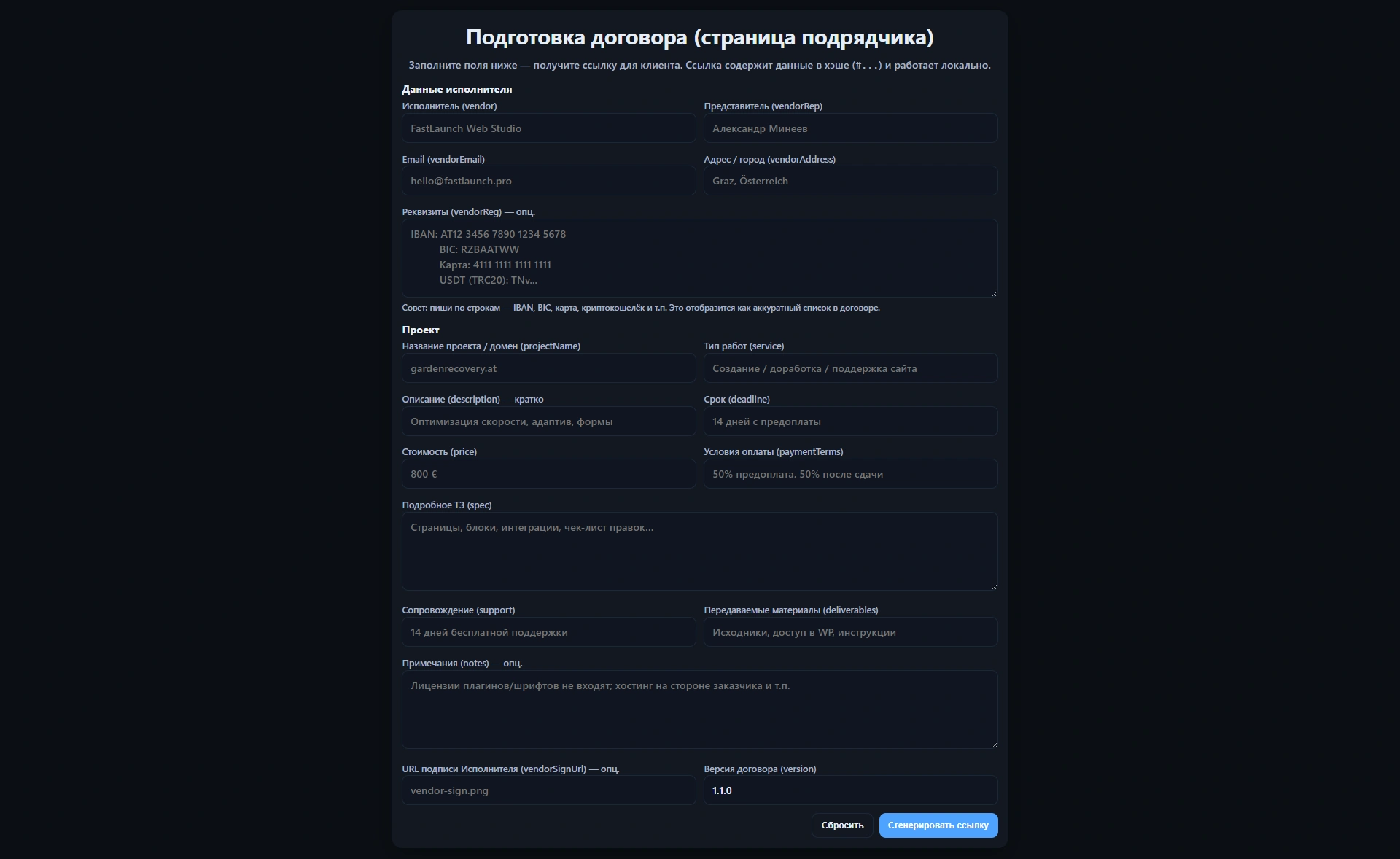
- On the prepare.html page the contractor fills in their details, project description, deadlines and pricing.
- The service generates a long link to contract.html where the full contract text is embedded in the URL hash.
- This link can be sent to the client via messenger or email.
How it works for the client
- How it works for the client
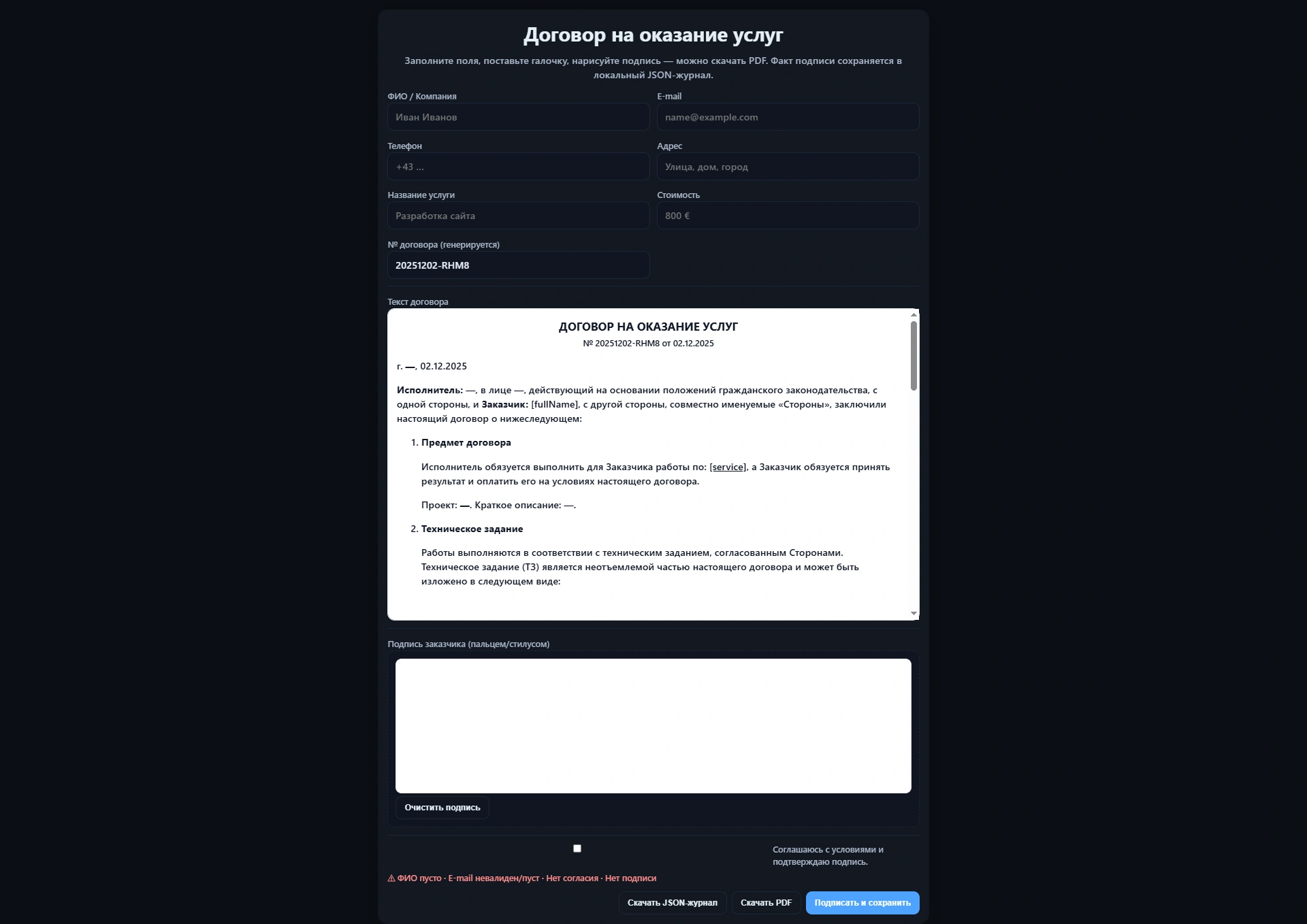
- The client opens contract.html and sees a ready-to-sign contract with all project data prefilled.
- They add their personal/company details, check the agreement box and draw a signature directly in the browser.
- After signing, the contract can be downloaded as PDF; optionally the data is stored in Google Sheets or emailed.
Process & UX
The tool is intentionally simple: minimal fields, everything on one page, no registration. The goal is to let both sides finalize a contract in just a few minutes.
- Two screens: contract preparation (contractor) and signing (client).
- Data transfer via <code>location.hash</code> — no database or heavy backend.
- Optional logging via Google Apps Script into Google Sheets or a CRM.
Screenshots of the tool
A few views from the contract tool: preparing the agreement and signing it directly in the browser.
Online contract tool on my website
This mini-service runs as an internal page of my portfolio site: you can open the contract preparation screen, enter test data and go through the full flow from link generation to signing a PDF in the browser.